Network Manager कॉन्फ़िगरेशन
यदि आपके नेटवर्क में DHCP सर्वर है, तो virtual machine को स्वचालित रूप से एक IP address असाइन किया जाएगा और आप इस गाइड को सुरक्षित रूप से छोड़ सकते हैं।
यह गाइड आपके Single Node VM को एक स्थिर IP असाइन करने के लिए NMTUI (Network Manager Text User Interface) के उपयोग की प्रक्रिया बताती है।
आपके नेटवर्क द्वारा परिभाषित कॉन्फ़िगरेशन और सीमाओं के अनुसार
-
virtual machine के नेटवर्क को कॉन्फ़िगर करने से पहले, आपको उस ethernet का MAC address जानना होगा जिस पर मशीन चल रही है।
-
यह निर्धारित करने के लिए कि virtual machine कौन-सा नेटवर्क उपयोग कर रही है, console में
nmcliचलाएँ। इसे नोट कर लें। -
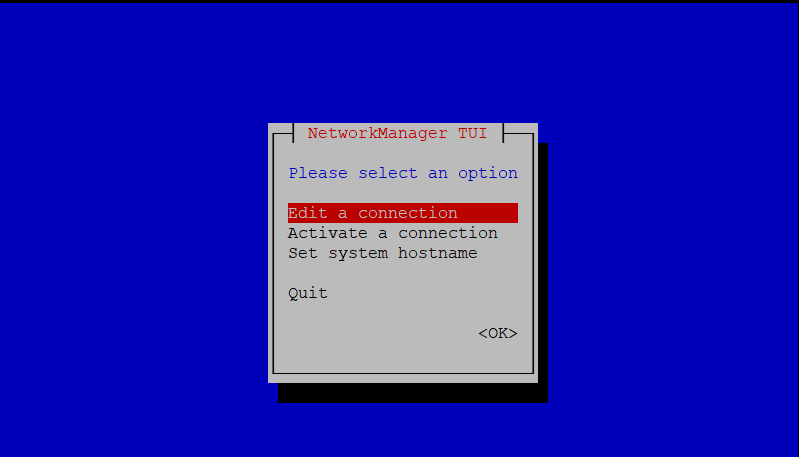
जब आपको पता चल जाए कि किस नेटवर्क को संपादित करना है, तो Network Manager लॉन्च करने के लिए
nmtuiचलाएँ और Edit a connection चुनें।
- Based on your configuration requirements:
- या तो Add network adapter करें या Edit connection करें।
- हमारे उदाहरण में हम उस connection को संपादित करते हैं जिसका उपयोग virtual machine कर रही है।

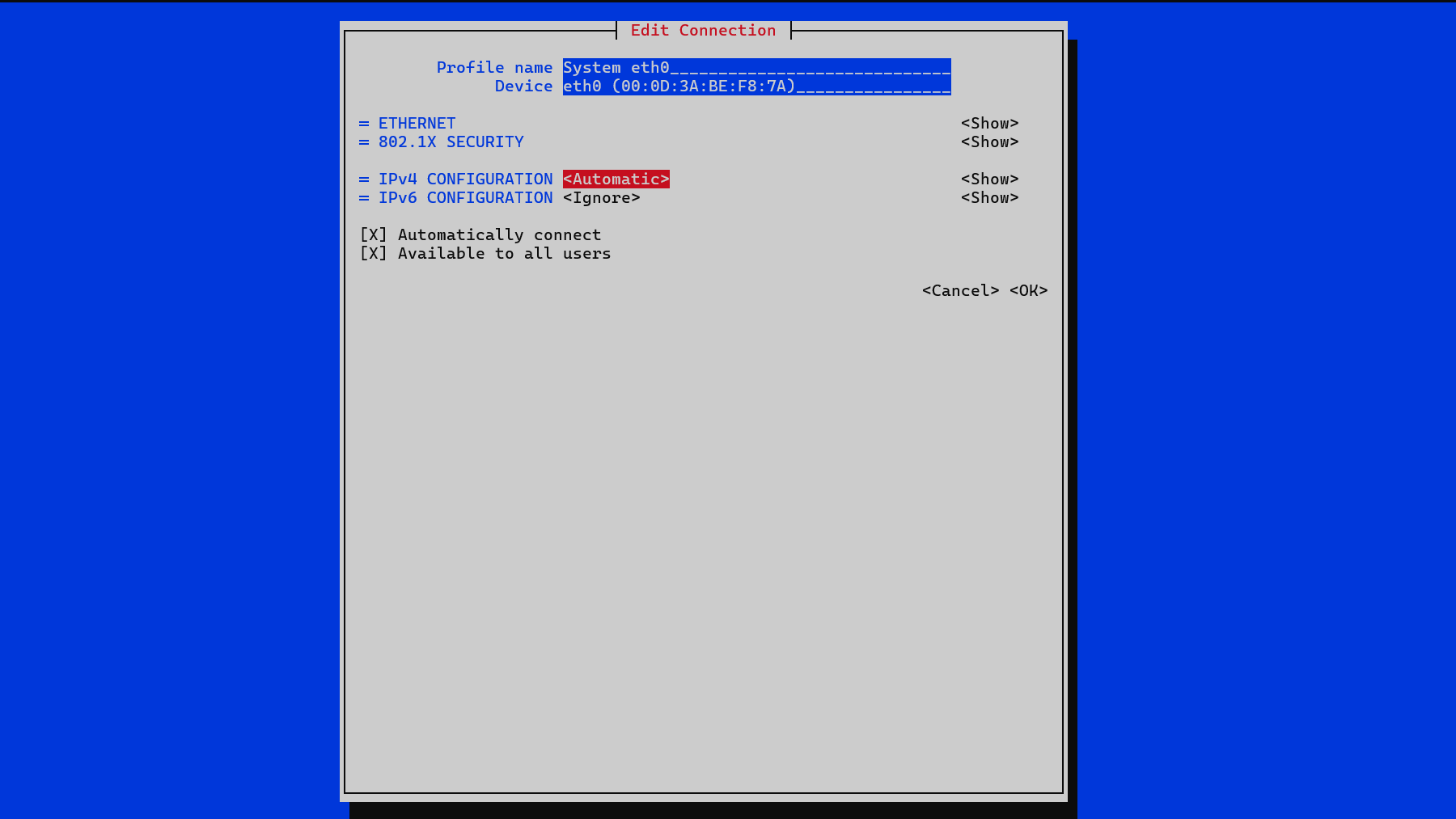
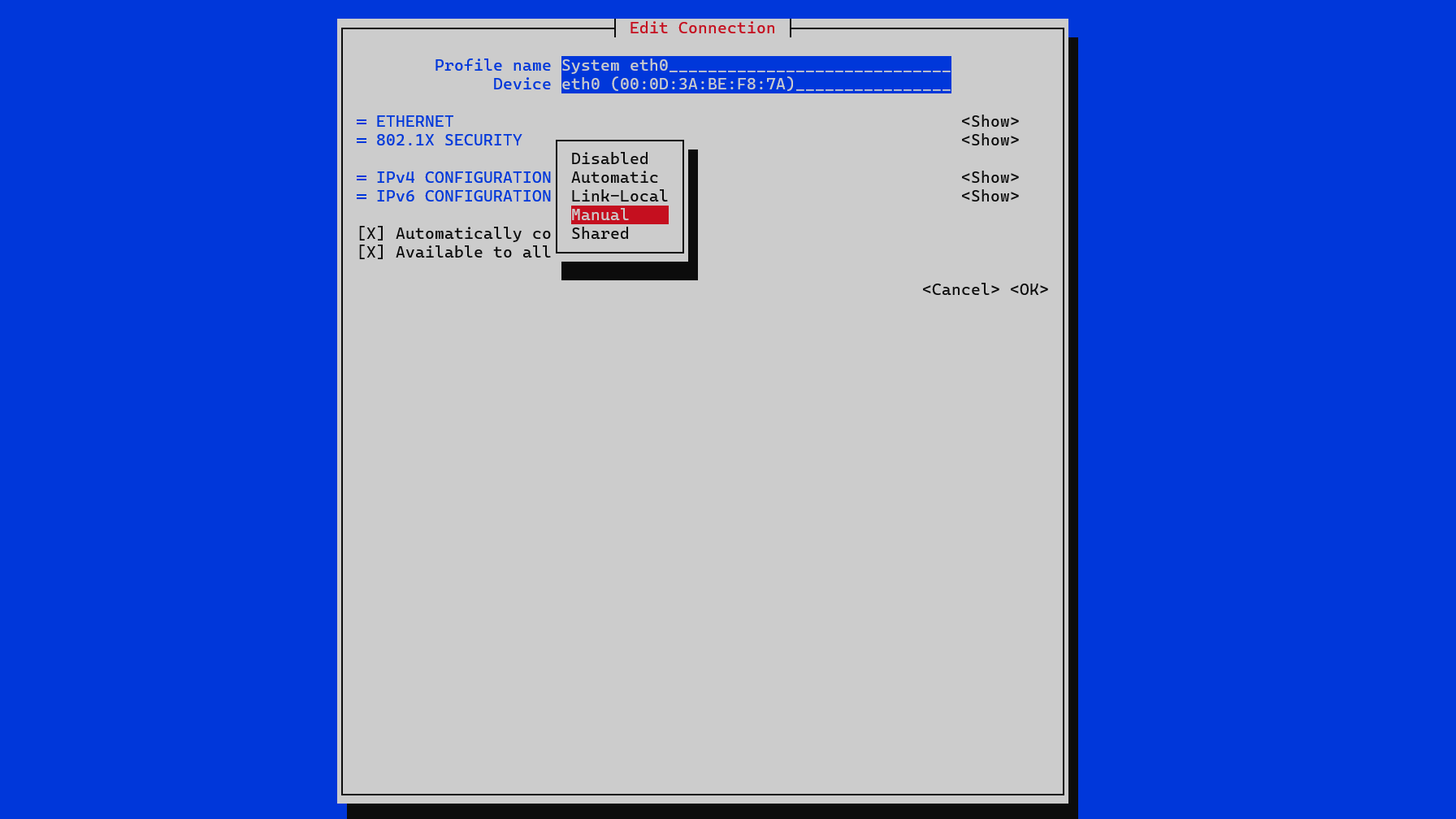
IPv4 CONFIGURATIONके बगल वाला विकल्प चुनें; हमारे उदाहरण में, यह Automatic है। दिखाई देने वाले dropdown menu का उपयोग करके इसे Manual पर सेट करें।
-
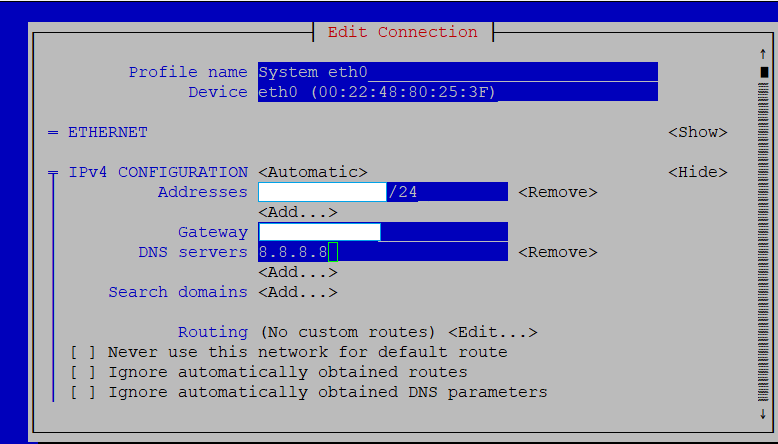
IPv4 कॉन्फ़िगरेशन के लिए Show चुनें। इससे IP addresses, gateway और DNS servers को संपादित करने के विकल्प मिलेंगे।
-
आवश्यक जानकारी दर्ज करें, फिर नीचे तक स्क्रॉल करें और OK पर क्लिक करें।
- Network Manager की मुख्य स्क्रीन पर वापस जाएँ, फिर Activate a connection चुनें और सुनिश्चित करें कि आपका connection Activated पर सेट है।
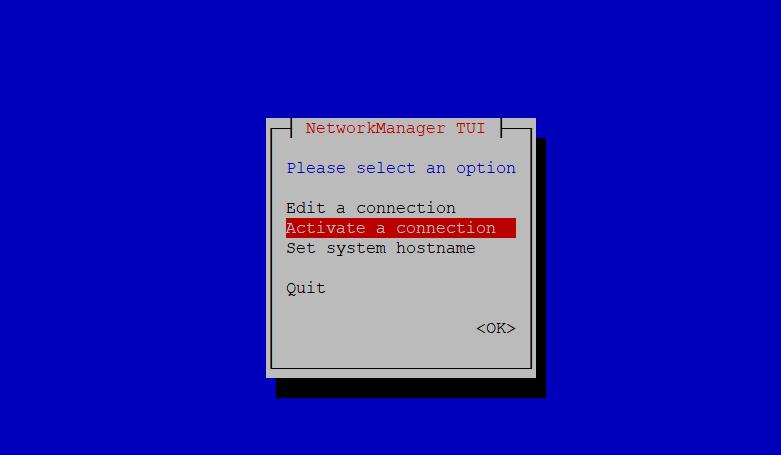

- Network Manager से बाहर निकलें और निम्न command चलाएँ:
sudo systemctl restart NetworkManager
- उपयुक्त Single Node VM deployment page का अनुसरण जारी रखें।